
Thank you for subscribing to Tulane Today! To update the email address associated with your subscription, please follow the instructions below.
Change Your Email Address
If you have a new email address and would like to replace your existing address, please follow these steps:
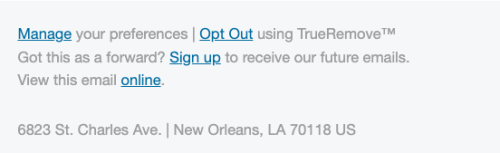
- In a Tulane Today email, scroll to the bottom and click the “Manage” link in the “Manage your preferences” section.
- On the “Manage your communication preferences” screen, update the Email address field with your preferred address.
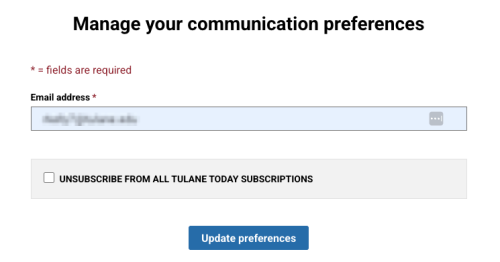
- Click the “Update preferences” button to save your changes.
Add an Additional Email Address
If you would like to continue receiving Tulane Today at your current email address and subscribe an additional address, please complete our subscription form.
Please note that all current Tulane students, faculty and staff are automatically subscribed to Tulane Today using their Tulane email addresses.
Update Your Contact Information with Tulane University
Updating your Tulane Today subscription email address will not update your contact information in Tulane University systems.
To ensure you continue receiving Tulane Today and to update your official contact information, please use the appropriate resource below.
- Current students: Accessing & Updating Your Information
- Employees: Access the WaveWorks Employee Self-Service (ESS) module in Gibson to update your personal information.
- Alumni: Update your contact information with the Office of Alumni Relations.
- Parents and families: Update your information through your student’s official record.
If you need additional assistance, please contact us at today@tulane.edu.